The Ounce Scale
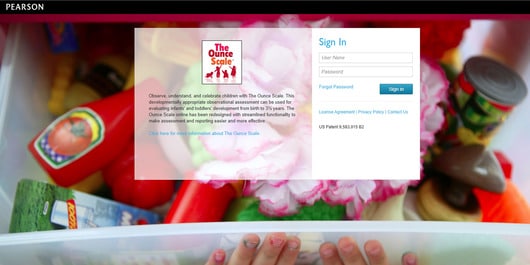
The Ounce Scale assesses children from 0-42 months in a collaborative model between professionals and parents/caregivers by providing an interactive system of documentation, monitoring, and evaluation of development. For Early Head Start programs, early intervention programs, and other home- and center-based childcare environments, Ounce evaluates children’s accomplishments, areas of difficulty, and approaches to learning to build relationships and capacity to thrive with a whole child view.Ready to order online subscriptions? You have two options:
- Call us at +1 (800) 627-7271
- Complete this form
1572128380 - The Ounce Scale Subscription 1 Year Qty 1 (Digital) -- $14.00
The Ounce Scale is an ongoing, functional assessment for children from birth-42 months (i.e., 3 years, 6 months). It focuses the professional's attention on developmentally significant events in children's lives. It involves families in assessment and provides standards for infant and toddler behavior and development. Unlike other infant/toddler assessments, The Ounce Scale focuses on how children use skills in the context of their natural environment. Professionals and families work together to learn about the child's development in four basic domains: Social and Emotional Development, Communication and Language, Cognitive Development, and Physical Development.
There are three main components of The Ounce Scale:
The Observation Record is a tool to help you keep track of observations and record children's growth and development. It is intended to be your record of factual observations that then help to determine ratings for the Developmental Profiles.
The Family Album is a keepsake or memory book in which the family can write down observations of their child's accomplishments and growth. It complements the Observation Record by matching the areas of development and observation questions contained in the professional's Observation Record. The Family Album involves parents as partners in the assessment process.
The Developmental Profile is a rating scale for measuring growth and development in comparison to age-level expectations. The profile is designed to give you and a child's family a summary of how their child is growing and developing. Ratings are made on the Developmental Profile using the observations from both the Observation Record and the Family Album to compare the child’s behaviors to the descriptions in the Standards for the Developmental Profiles.
Uses and Applications
The Ounce Scale can be used in assessment, intervention, and progress monitoring contexts. Professional users of this assessment may include home visitors, infant specialists, parent educators, family support staff, visiting nurses, public health nurses, and early interventionists.
Depending on the population(s) you serve, The Ounce Scale may be used with:
- Individuals — private practice, daycare, home settings
- Groups — educational, community, government, or healthcare group practices/programs (e.g., Early Head Start)

Benefits
- Presents a highly reliable, criterion-referenced measure based on specific developmental standards.
- Helps meet Early Head Start and federal assessment requirements.
- Allows you to gather information from multiple perspectives, giving a more well-rounded picture of the child’s development.
- Takes a natural, whole-child approach to observation.
- Helps educate parents so that they can become more involved in decisions about their children.
- Supports early intervention for at-risk kids.
Features
Designed for use with infants and toddlers, The Ounce Scale is organized around six major developmental areas:
- Personal connections: How children show they trust you.
- Feelings about self: How children express who they are.
- Relationships with other children: What children do around other children.
- Understanding and communicating: How children understand and communicate.
- Exploration and problem solving: How children explore and figure things out.
- Movement and coordination: How children move their bodies and use their hands to do things.
The Ounce Scale is divided into the following eight age levels:
- Babies I: Birth–4 months
- Babies II: 4–8 months
- Babies III: 8–12 months
- Babies IV: 12–18 months
- Toddlers I: 18–24 months
- Toddlers II: 24–30 months
- Toddlers III: 30–36 months
- Preschoolers: 36–42 months
Each age level has its own Observation Record, Family Album, and Developmental Profile, which you will use during that time period.
Required Browser Versions:
Windows 10, 11 - Chrome (v140), Firefox (v142) and Microsoft Edge (v140) (current and previous two versions)
Mac (latest version) - Chrome (v140), Firefox (v142) and Safari (v18.6) (current and previous two versions)
Resources
The following resources are available for the Ounce Scale.
General
Yes. You can access historical student data through reporting tools for as long as that data remains in the system.
In Reports, select the academic year you need, then export the results. The main interface typically shows current-year information only.
Select Forgot Password on the login page. Your password reset link will stay active for 24 hours. If you don’t see the email, check your spam folder and ask your email administrator to make sure system emails aren’t being blocked.
You’ll find resources, tutorials, and support information through the Resources and Contact Us links in the platform.
For Administrators
Go to Manage > Users and select the blue Add button, then choose New. Enter the required information and assign the appropriate role and site access. The role you assign determines the user’s permissions.
Select the checkmark next to the user’s name. Then select the blue User Actions button at the top of the list and choose Remove User. If the user belongs to multiple sites, remove them from every site before they can be fully removed from the system. Deleting a user may also remove associated checklist and progress data. If you may still need that data for reporting, lock the account instead.
Locking an account prevents the user from signing in while preserving their data. Deleting an account permanently removes the user and may also delete associated assessment data. If you may need historical reporting later, locking is the better option.
Go to Manage > Users and select the blue Add button, then choose Existing. Find the user and assign them to the additional site. They’ll keep the same login credentials across all assigned sites.
Go to Manage > Users and review the user’s assigned role. Then compare it with the permissions listed under Manage > Roles. A user’s access is based on the permissions assigned to their role.
First, check that the account is active and unlocked, and confirm that the correct username is being used. If needed, reset the login attempts and send a new password reset email.
Most organizations use Program and Site levels. Larger organizations may also include Brand and Organization levels. Administrators can view users and students at their own level and the levels below it.
No. Your license quantity stays the same unless you request a change.
Yes. Account ownership and account manager assignments can be updated when needed.
Administrators can access several child and user reports for organization-level analysis and historical reporting.
For Teachers
Select the appropriate developmental domains and ratings for each child. You’ll need to complete the checklist before the results can appear in reports.
Make sure the checklist has been finalized. Only finalized checklists are included in reports and data exports, so unfinished checklists won’t appear.
Yes. You can update checklist items to correct entries before the checklist is finalized.
Online checklist resources may be copied for educational use. Printed checklist packs are subject to copyright restrictions and shouldn’t be duplicated.
Teachers can access Checklist Reports, Class Outcomes Reports, Class Profile Reports, and Class Ratings Reports. Together, these provide reporting at both the individual child and class levels.
Annual Renewal & Purge Process
Timing
Pearson Action
Customer Action
Jan–Mar Plan renewal Review upcoming needs Apr–Jul Discuss renewal Finalize renewal decisions Jul 31 Annual rollover Prepare for the new-year setup Aug Send 90-day purge notice Confirm renewal status Oct Send 30-day purge notice Complete outstanding renewal activities Oct 31 Process purge All child and user data is removed for non-renewed accounts Nov Send final purge notification Confirm account status Yes. For non-renewing customers, Pearson must remove all data in line with our data privacy and security policies. Before purge processing begins, download or export any reports you need to keep for your local records.
We retain historical data for as long as your account is active. If you don’t renew your subscription, the purge preparation period runs from August 1 through October 31. After that, we must remove all data for non-renewing customers in line with our data retention policy.
License quantities stay the same unless you request a change during renewal discussions.
We send renewal communications early so you have time to review your subscription, confirm your future licensing needs, export any reports you want to keep, and avoid service interruptions. These communications begin several months before purge processing.
We typically send renewal and purge communications to the primary account manager or administrator. Keep your contact information up to date so the right person receives these notices.
Contact your Pearson representative or Customer Support team. Sometimes a renewal, account update, or contact change is processed after a communication list has already been created.
The following training events are available for The Ounce Scale.